Book a call
All your apps · one place · three editions

One operating system for how your business, nonprofit or church runs.

Write down how your organization works. Then AI works.

One login. One source of truth. One place to document your people, roles and processes, bring in the data from the tools you already use, and put AI to work where it gives hours back.

UnifiedOS dashboard mockupIllustrative – sample data

UnifiedOS is an organizational operating system from Foundation Stone Advisors. It comes in three editions: BusinessOS, NonprofitOS and ChurchOS.

The problem

Most processes never get written down.

So every answer routes through one person, and AI has nothing to work from.

Every question comes back to the leader, because the answers live in one person's head.

Ten apps, ten logins, and the same data typed into three of them. Nobody sees the whole picture.

Handoffs stall, follow-ups get missed, and nobody notices until month end.

Technology decisions get made by whichever vendor calls last.

The companies getting the most from AI wrote down how they work first.
One place

Your apps, all in one place.

Accounting, property management, email, spreadsheets and forms keep doing their jobs. UnifiedOS pulls their data together, so your team logs in once and everyone works from the same numbers.

  • Accounting
  • Property management
  • Email & calendar
  • Spreadsheets
  • CRM
  • Forms & e-sign
  • File storage
  • Giving & donors
  • Scheduling
FSUnifiedOS
  • One login
  • One source of truth
  • One dashboard for leadership
  • Processes written down
  • Fewer subscriptions
  • Reports leadership can trust

Illustration. Connections are set during discovery, based on the tools you run today.

Built for your kind of organization

One operating system. Three editions.

UnifiedOS is the same foundation underneath, with the words, setup and connections fitted to a business, a nonprofit or a church.

BusinessOS · for businesses

Run the business. Stop running the software.

For owners and leadership teams who are tired of being the glue between a dozen tools, the bottleneck on every decision, and the last to know where a deal stands.

  • A sales pipeline you can trust. One record from first contact to client, with weighted totals rolled up for you.
  • Nothing goes quiet. Deals with an overdue next step are flagged and can become a dated task for their owner.
  • Processes that run without you. Onboarding, purchase approvals, IT and HR requests, written down once and running on their own.
Many of the owners we serve lead from their faith. Many parts, one team, pulling the same direction. We are built for that too.

Get the BusinessOS playbookExplore BusinessOS

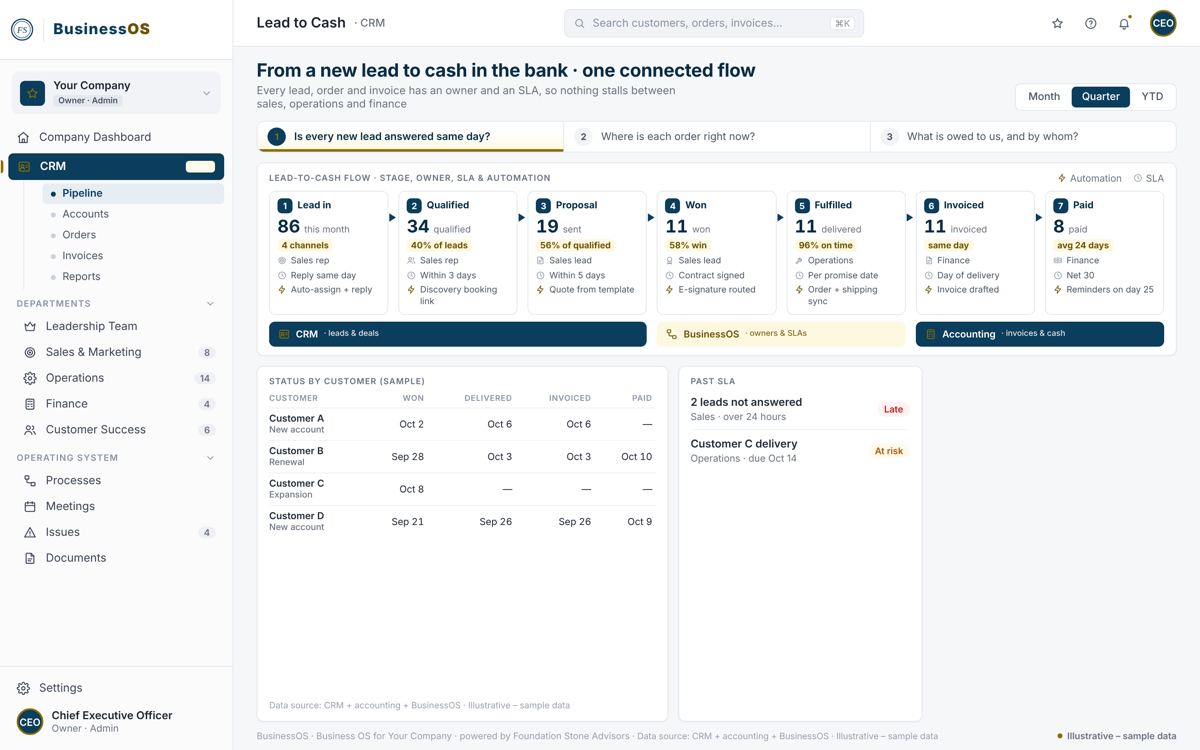
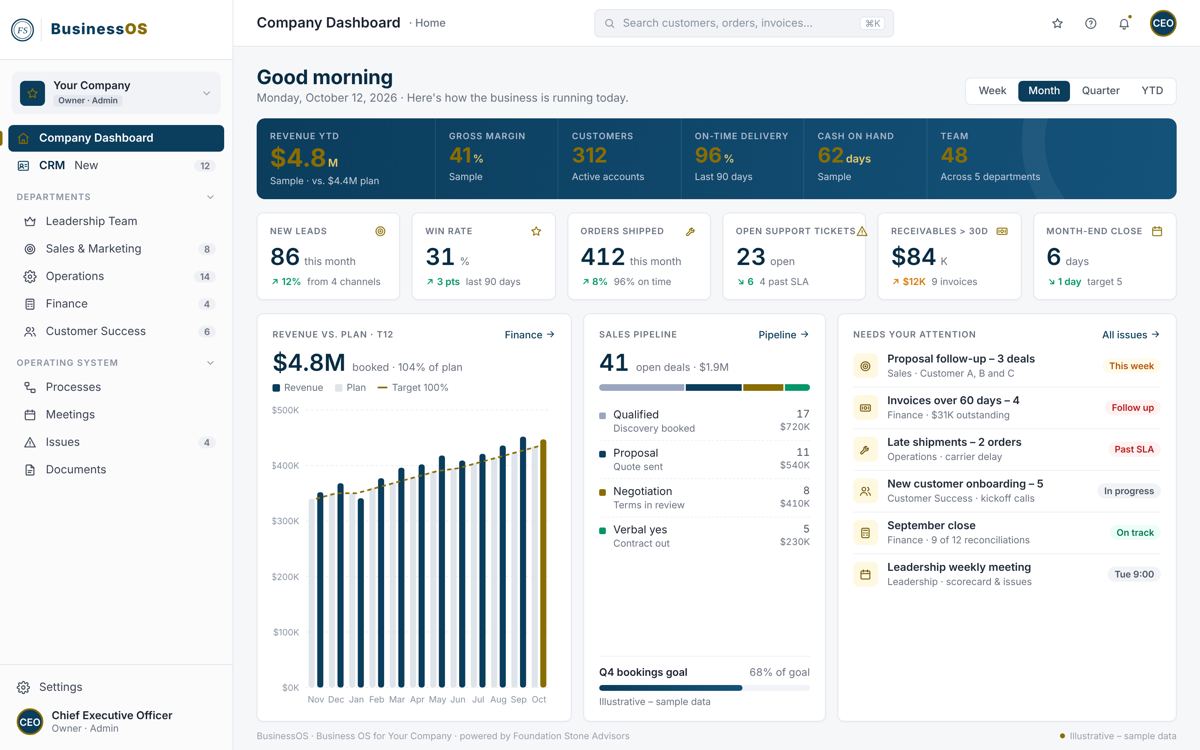
BusinessOS dashboard mockup
Dashboard · Illustrative – sample data
BusinessOS workflow mockup
Workflow · Illustrative – sample data
NonprofitOS · for nonprofits

Spend your hours on the mission, not the spreadsheet.

Small staff, a lot of volunteers, funders who want outcomes, and a stack of tools nobody fully owns. One system built around the work you are called to.

  • Donor privacy by design. We count gifts and donors, never amounts.
  • Applications and intakes, no login needed. Share a form by link, with signatures when you need them.
  • Volunteer and staff training. Learning paths and completion reports, so you know who has been trained on what.
“Make every effort to keep the unity of the Spirit” (Ephesians 4:3). Staff, volunteers and board working from one picture of the mission, with Christ at the center.

Get the NonprofitOS playbookExplore NonprofitOS

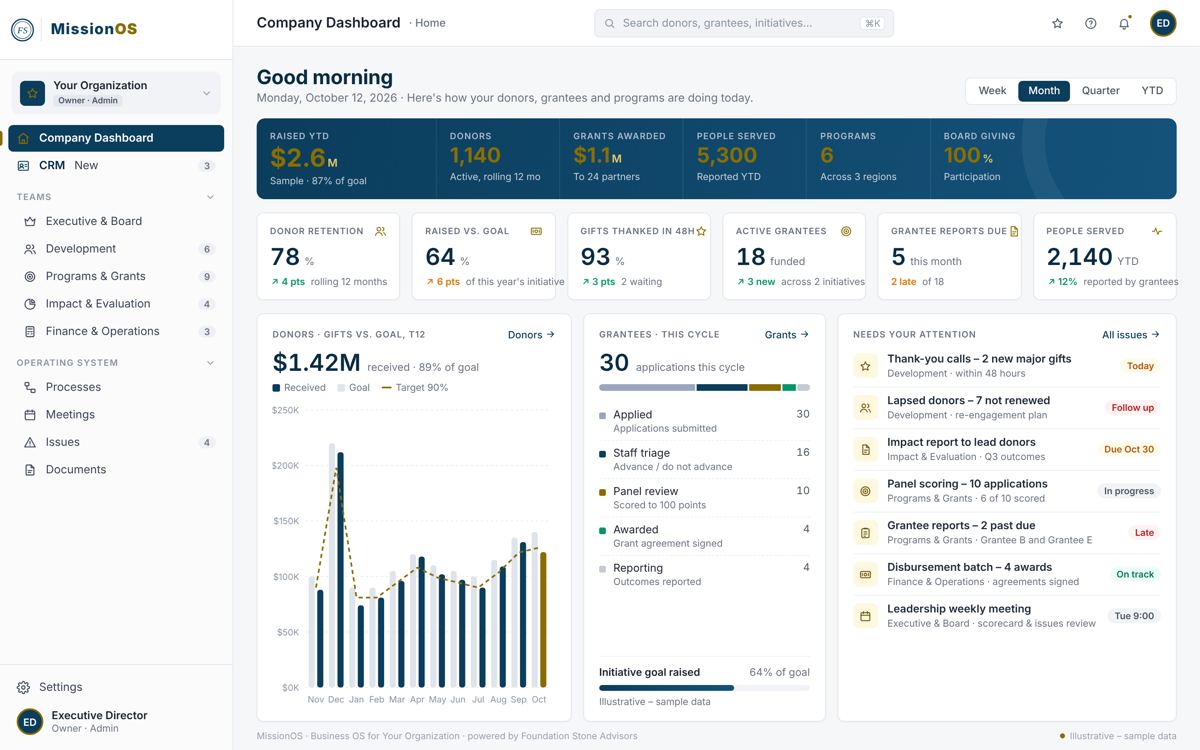
NonprofitOS dashboard mockup
Dashboard · Illustrative – sample data
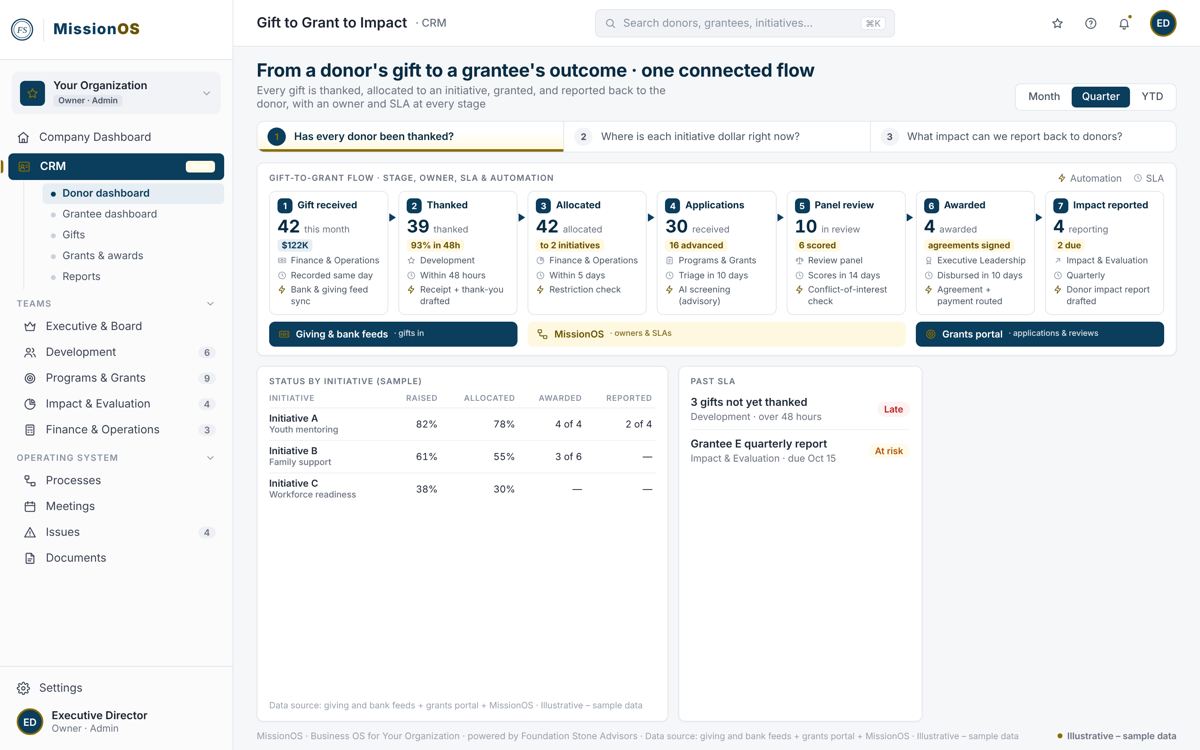
NonprofitOS workflow mockup
Workflow · Illustrative – sample data
ChurchOS · for churches

Every church has an operating system. Most were never designed.

They grew up one ministry at a time and live in a few people's heads. We help you design yours, with Christ at the center and prayer at the start.

  • Speaks your language. Members, campuses, ministries and small groups, not customers and departments.
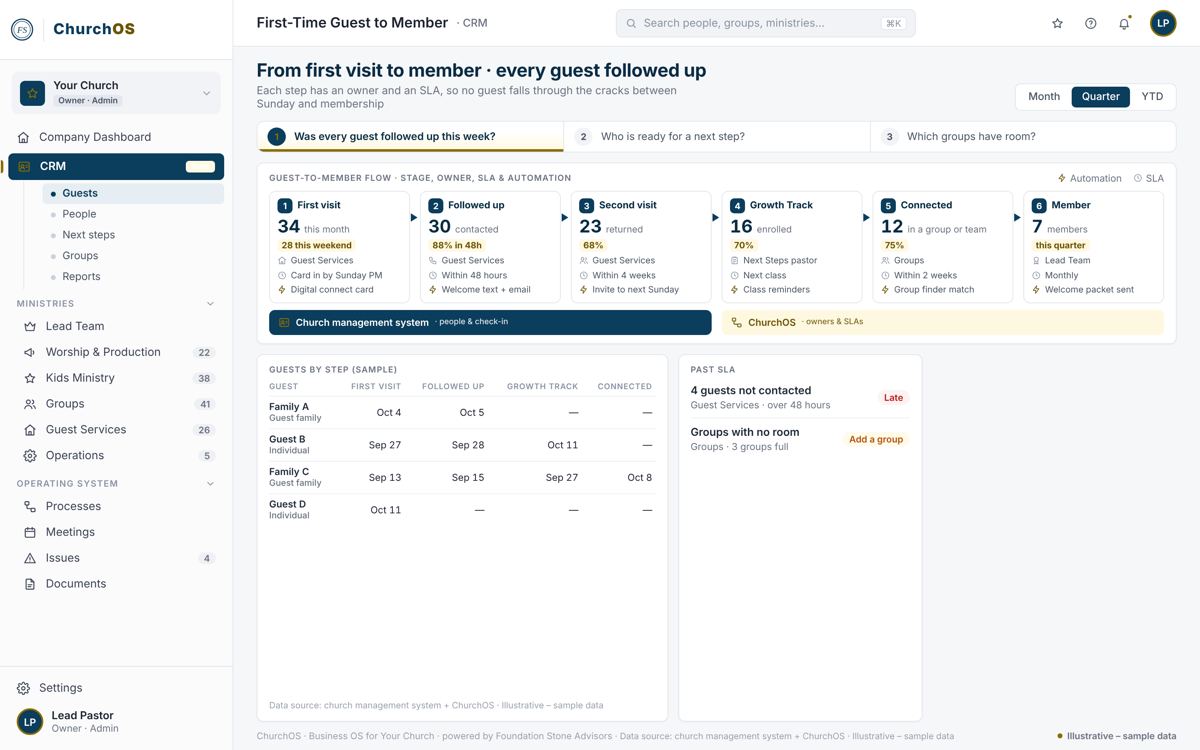
  • Connects to Planning Center. People, groups and serving teams kept in sync, and check-ins feed your attendance numbers.
  • Living playbooks. Every ministry's way of doing things written down and kept current, so it outlasts any one leader.
“The body is one and has many members” (1 Corinthians 12:12). Every ministry, one body. We come to listen, pray with you, and leave you stronger.

Get the ChurchOS playbookExplore ChurchOS

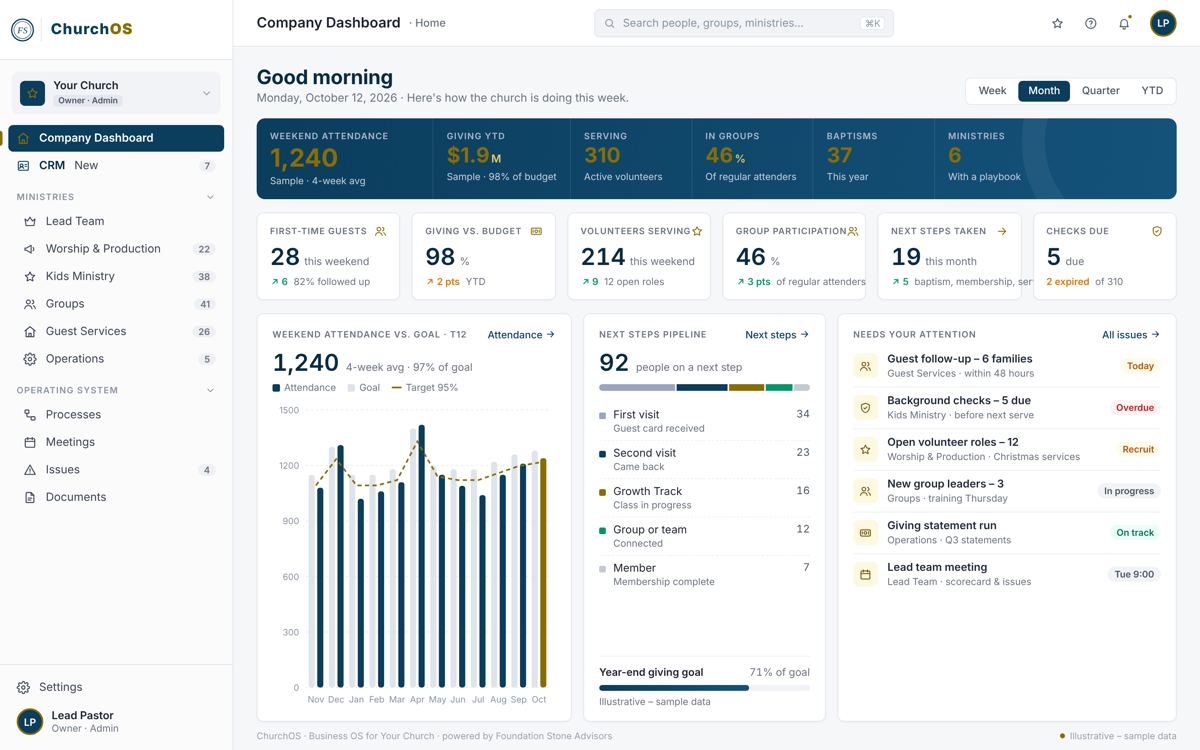
ChurchOS dashboard mockup
Dashboard · Illustrative – sample data
ChurchOS workflow mockup
Workflow · Illustrative – sample data
How it works

Six phases, from discovery to running on its own.

You get a tailored package within 24 hours of discovery. The month-by-month plan is set during discovery.

1

Discover

We learn how your organization actually runs today, department by department.

2

Affirm

You review the plan and sign the statement of work.

3

Build

We write down roles, processes and SOPs, then build your platform on top.

4

Test / Train / Document

Your team tries it, learns it, and every process is documented.

5

Deploy

It goes live, and old subscriptions retire one at a time.

6

Maintain

We keep it current and automate the steps that give hours back.

Free download

The Department Playbook

A practical guide to writing down each department or ministry: why it exists, who does the work, how you know it's healthy, when the team meets, how work gets done, and what to fix next.

BusinessOS playbook coverNonprofitOS playbook coverChurchOS playbook cover
Which playbook do you want?

We'll email you the PDF. No spam, unsubscribe anytime.

FAQ

Questions leaders ask

What is an organizational operating system?

It's a written, shared way your organization runs: why each department or ministry exists, who owns each role, how you measure health, when teams meet and how work gets done. UnifiedOS holds it in one platform with dashboards and workflows.

Why write down how we work before adding AI?

AI can only follow what's written down. When roles, processes and data are documented, AI can draft, route, remind and report. When they live in one person's head, it has nothing to work from.

Which edition of UnifiedOS is right for us?

UnifiedOS is one platform with three editions: BusinessOS for companies, NonprofitOS for nonprofits and ChurchOS for churches. Same foundation, with the words, setup and connections fitted to your world.

Who is behind UnifiedOS?

UnifiedOS is a division of Foundation Stone Advisors, an advisory firm based in Jacksonville, Florida that serves business owners, executives and nonprofit leaders nationwide. FSA embeds with your team as executive leadership on demand. We write down how your organization works, build UnifiedOS on top, and stay to keep it current.

How do we start?

Book a discovery call. After discovery you get a tailored package within 24 hours, then we move through six phases: Discover, Affirm, Build, Test/Train/Document, Deploy and Maintain.

Can we keep the software we already use?

Yes. We connect to the systems you run today. QuickBooks, Planning Center and Microsoft 365 connect out of the box, and we connect tools like Yardi as part of your build, pulling their data into one place. Old subscriptions retire only as your team stops needing them, and you get one login, one dashboard and one source of truth on top.

How long does it take?

It depends on how many departments you start with. Most organizations begin with one stuck process and see it running early, then add departments one at a time. We set the month-by-month plan with you during discovery, based on your priorities.

What does it cost?

Cost depends on scope: how many departments or ministries you start with, how many tools we connect, how much is already written down, and how much ongoing support you want. Every engagement is scoped during a free discovery call.
Start with one stuck process.

Book a discovery call. You'll have a tailored package within 24 hours of discovery.

Book a discovery call